




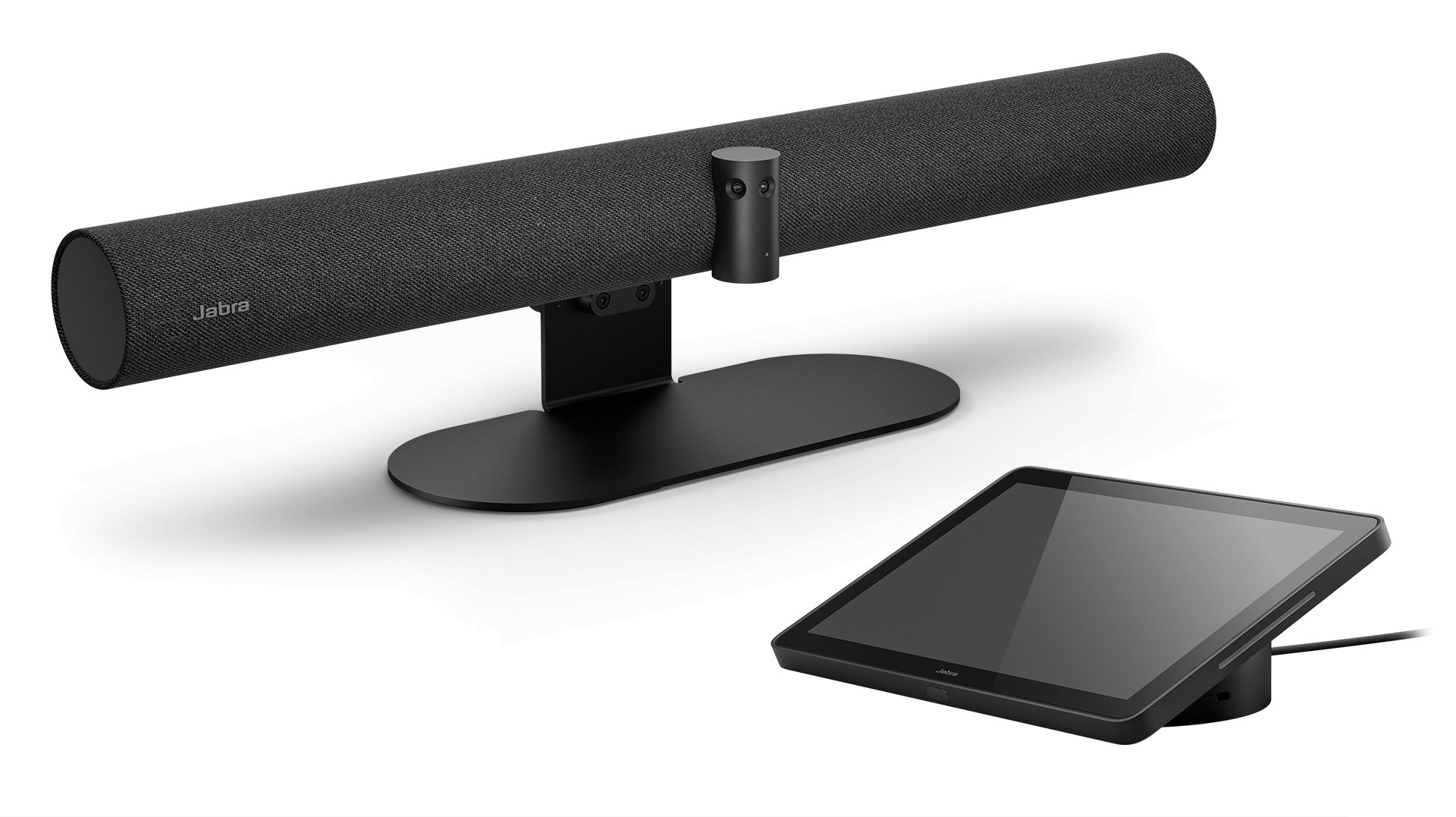
PanaCast 50 Video Bar System

Inclusive meetings at your fingertips
Buy now 

The all-in-one video bar. For meetings that everyone’s all-in on.

INTRODUCING THE PANACAST 50 VIDEO BAR SYSTEM

A smarter way to work the room

Our multi-award-winning PanaCast 50 is now available as an all-in-one video bar room system with intelligent AI experiences and an onboard Android compute for an engaging and easy-to-use meeting room solution.

Imagine meetings that started smoothly and kept everyone engaged from the word go. Now stop imagining it and start believing it, because that's exactly what PanaCast 50 Video Bar System is designed to do.

We’ve done the heavy lifting, so you don’t have to.

180° field of view and intelligent meeting room experiences
World-class professional audio
Certified for Microsoft Teams and Zoom Rooms
Easy to install & deploy, with minimal cabling

Want to learn more?

80%

of meetings include remote participants

180° Field of View

Make the most of your meeting spaces

°

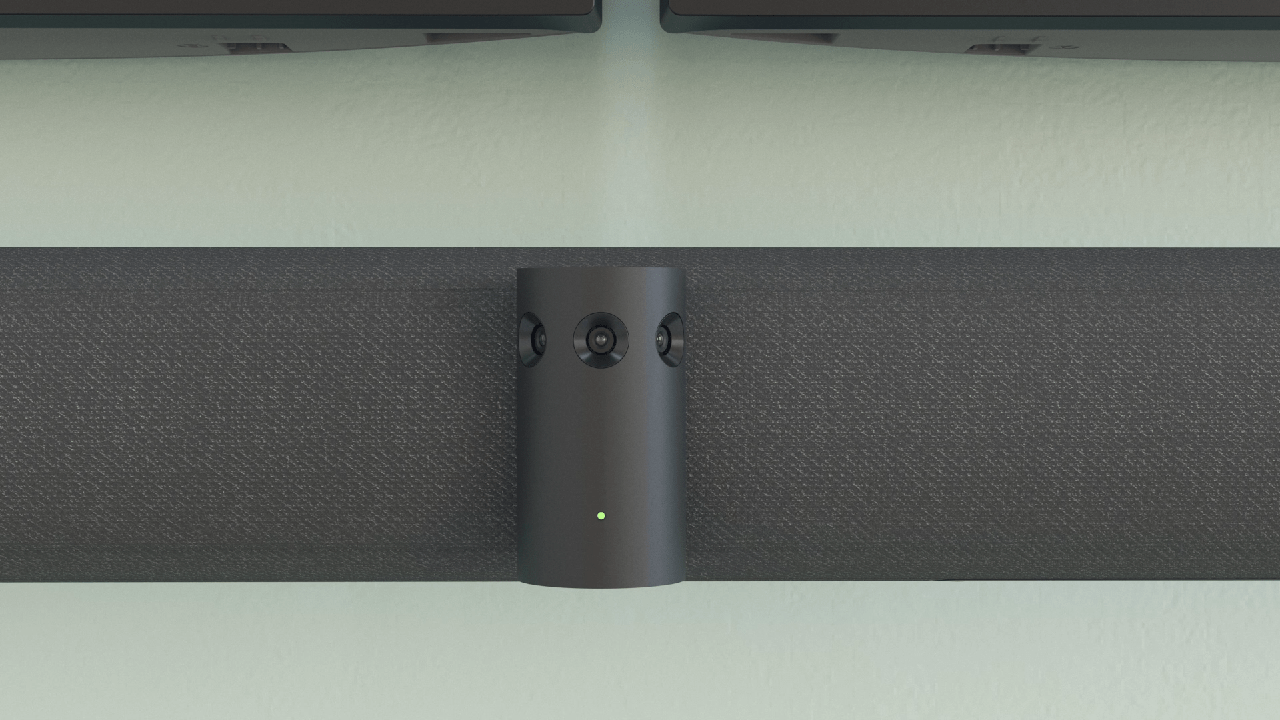
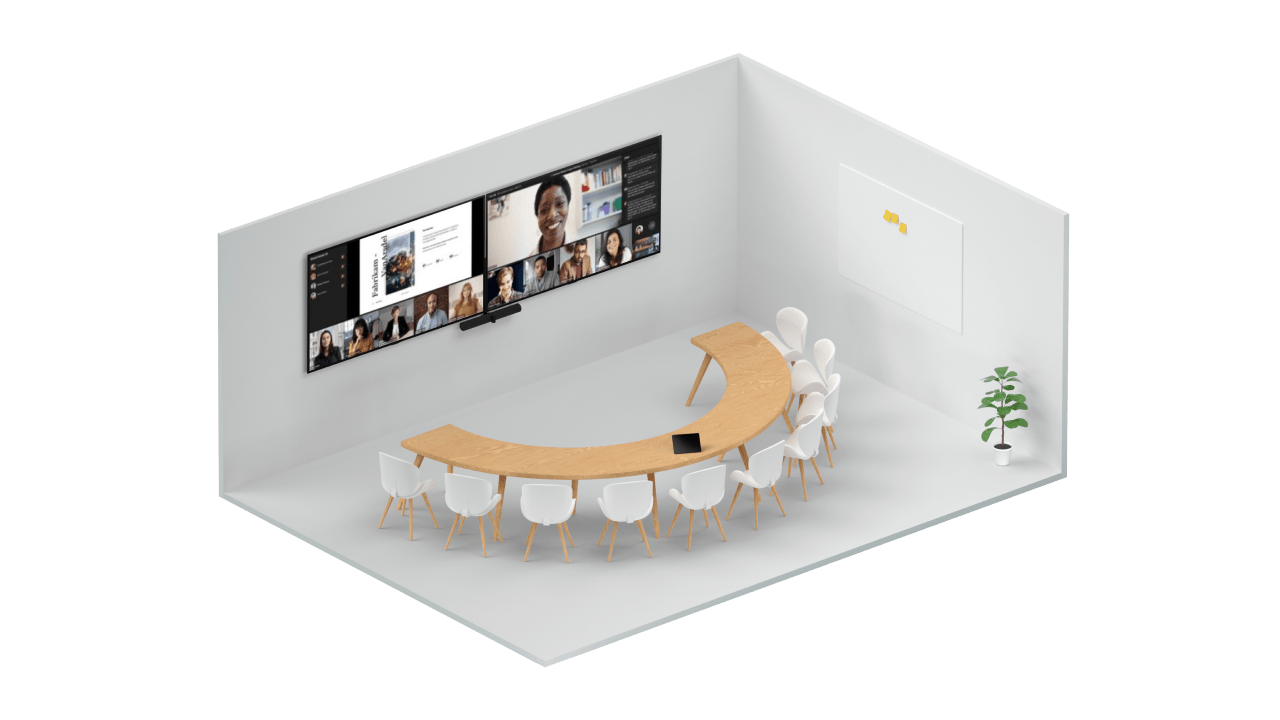
PanaCast 50 Video Bar System was built for inclusion, so we’ve gone all-in to make sure our video keeps everyone in the frame. Three 13-megapixel cameras, mounted in a high-precision multi-camera array, cover every part of the room so you can get the most out of your meeting spaces and no one falls off the end of the screen.

Our crisp, high-definition, patented real-time video stitching technology uses advanced algorithms to pinpoint the best way to live-stitch the three streams together as the meeting’s happening, creating a smooth, zero-latency 180° field of view in distortion-free Panoramic-4K.

We’ve gone all-in on getting everyone in.

WORLD-LEADING AUDIO

Be seen and heard

Meetings are better when everyone can actually hear what’s being said.

So as you’d expect from the world leaders in professional audio, our PanaCast 50 Video Bar System makes sure your teams’ meetings sound as incredible as they look.

It adapts to whatever space they’re in, using four powerful speakers in a zero-vibration stereo setup to flood the room with premium high-definition sound. That means even those sat all the way at the back will still know exactly what’s going on. And remote participants will hear things perfectly too.

Cinematic visuals and awesome audio? Our all-in-one PanaCast 50 Video Bar System really does have it all.

Precision voice detection and enhanced noise suppression use intelligent algorithms to cancel more background noise than ever before to optimise the meeting experience.
Beamforming 8-mic technology maximises the signal-to-noise ratio so that everyone sounds super sharp.
Aux-Out for assistive listening devices enables a hearing augmentation transmitter to be connected to the video bar so hearing aid users can stream meeting audio directly to their hearing aids for better inclusivity. *
* Please note that audio from within the room is not streamed, and people outside the room may be able to connect and listen in. Please note that Microsoft Teams customers must enable AOSP device management to access these features. Find out more.

Sounds good?

ULTRA-ADVANCED SYSTEM ARCHITECTURE

Future-ready

Next-level meetings demand next-level technology and next-level security.

Seven powerful Edge processors and 3 intelligent Edge AI processors perform real-time integration of audio, video, and data, to give your experience a serious upgrade, while on-device encryption, wired ethernet, and ready-for-WiFi connection options ensure your networks and data stay ultra-secure.

And because we want to keep making your meetings better, our unique adaptable flexible architecture means PanaCast 50 Video Bar System keeps reinventing itself, with future-ready feature updates and security protections that can be easily accessed using your platform device manager.

With PanaCast 50 Video Bar System, your meetings just keep getting better.

Read all about Edge AI’s game-changing abilities

EASE OF USE

One touch is all it takes

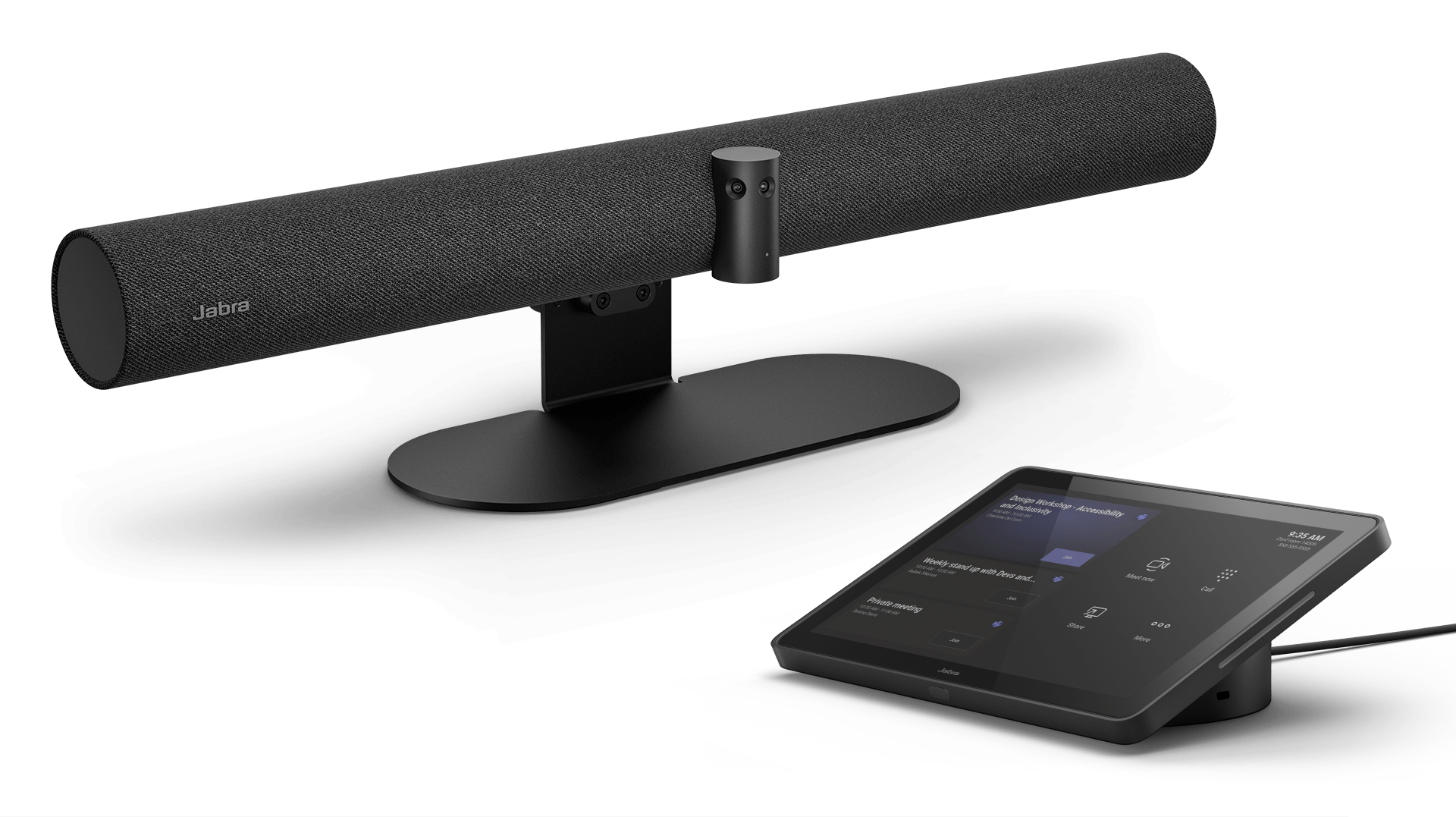
We all know the sweaty-palmed stress of rushing last minute into a meeting and then frantically fumbling around to get set up on time. But because Jabra PanaCast 50 Video Bar System has an easy-to-use PanaCast Control touchscreen tablet to manage everything, your teams can simply walk into their next meeting and instantly get going - directly joining, sharing content and ending meetings with a simple tap.

Additional meeting flexibility with 'Bring Your Own Device' mode

Join meetings on other platforms from our own laptop easily.

The PanaCast Control touchscreen tablet has a PIR motion sensor that automatically wakes up the system as soon as someone enters the room.
One cable to connect to power over ethernet
SIMPLE INSTALLATION

Easy as 1, 2, 3

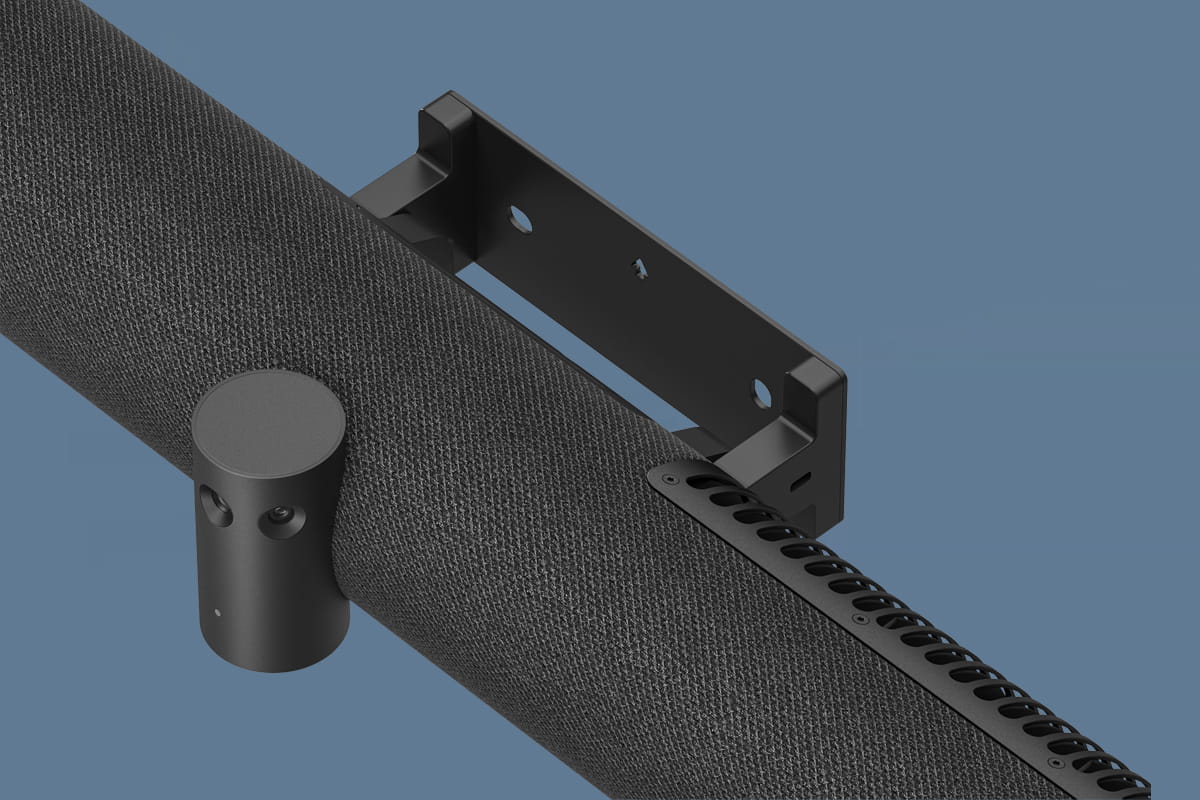
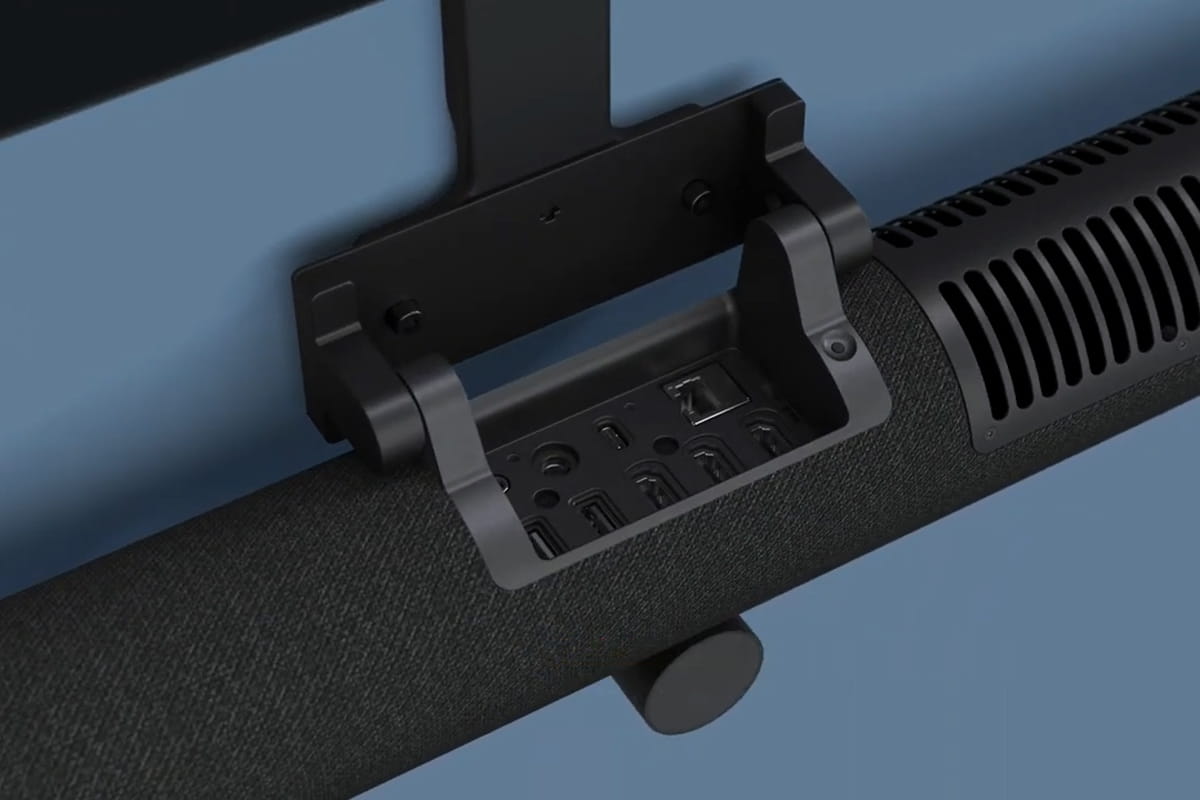
PanaCast 50 Video Bar System makes the most out of what you’ve already got going on, with an easy-to-install design that fits neatly into your existing setup. Its streamlined shape comes with three different mounting options to suit every room. Choose from wall mount, table stand, or screen mount (VESA)*, with clear-to-follow instructions. And with a single cable to connect and power the PanaCast Control over ethernet, plus secure built-in cable management, your space will always look clean and clutter-free.

Because who doesn’t like keeping things simple?

*Table stand and screen mount sold separately

PEOPLE COUNT

Make it count

Uniquely advanced system architecture enables PanaCast 50 Video Bar System to deliver room occupancy data 24/7

*Data available via your platform device management system. PanaCast 50 Video Bar system also works with Microsoft Teams Admin Center.
Environmental sensors in the PanaCast Control monitor air quality to help you maintain peak meeting-ready conditions*
Uniquely advanced system architecture enables PanaCast 50 Video Bar System to deliver room occupancy data 24/7

Heard enough?

CERTIFIED FOR MICROSOFT TEAMS

Take your Teams-work to the next level

Being certified for Microsoft Teams Rooms means PanaCast 50 Video Bar System delivers a seamless Teams experience for your virtual meetings.

A single tap lets your teams join and end meetings instantly and our 180° field-of-view works perfectly with Microsoft Teams Rooms technology, for a fully optimised room view that helps everyone feel more closely connected to what’s happening in the meeting.

Configuring and managing devices is easier too, with the Microsoft Teams Admin Center enabling fast feature and security updates, alongside simple remote admin access for stress-free deployment and oversight.

Making everything - from client pitches to essential debriefs (aka team gossip time) - ultra-smooth and simple.

Turn up the Teams-work, with PanaCast 50 Video Bar System.

  • Certified for Microsoft Teams badge — four-color Microsoft window icon left of the text 'Certified for Microsoft Teams' inside a rectangular outline.
  • Zoon Certified logo
INTELLIGENT FEATURES

Fully immersive. For all.

Nearly half of all hybrid workers feel disconnected when not in the meeting room*. That’s why the intelligent features of the PanaCast 50 Video Bar System are the complete solution to keep meetings engaging and productive for everyone.

Choose the option that best suits the meeting** and get ready for a fully immersive, equal experience that helps your teams deliver next-level results.

Our intelligent features work harder, so your teams can work smarter.

*Jabra Hybrid Ways of Working 2022 Global Report
**Requires system admin set-up to switch mode

Intelligent Experiences

  • Dynamic Composition

    Offers a choice of meeting room participant views, including the most recent in-room speakers or close ups of recent speakers with a panoramic view of the room.

  • Intelligent Meeting Space

    Define virtual meeting space boundaries to only include the people inside the meeting space; ideal for glass-walled and open plan spaces.

  • Intelligent Zoom

    Uses powerful AI to dynamically adjust and frame in-room meeting participants for optimal collaboration.

  • Virtual Director

    Adjusts the camera view of the room in real-time to focus on the active speakers, helping everyone track the natural flow of the conversation.


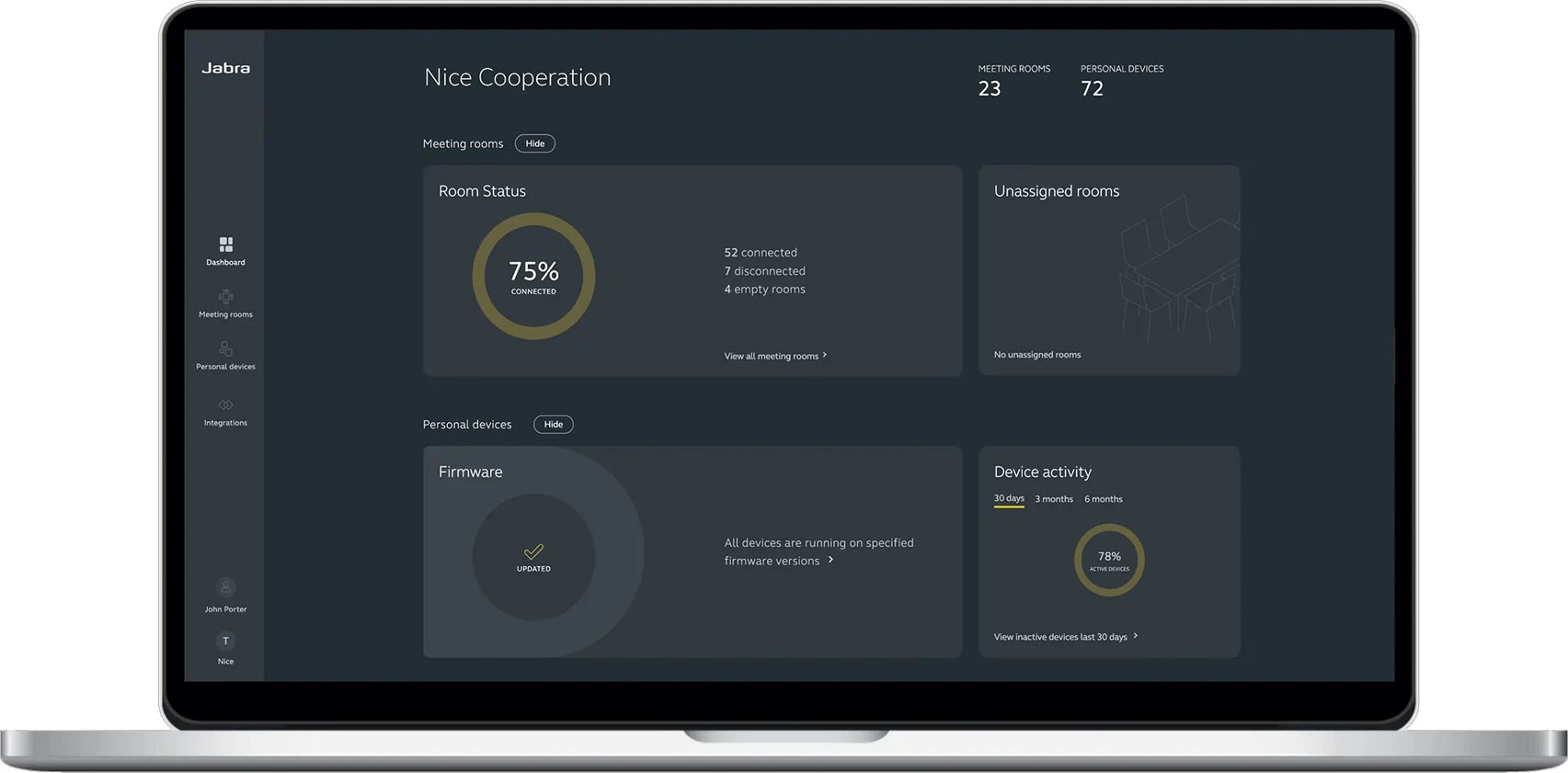
Jabra Plus

Make device management simple

View, manage, control and update all your devices in one place, with Jabra Plus. Our comprehensive device management platform makes it easy for you to ensure your teams can get down to business with minimal device downtime or disruption, wherever they are.

Jabra Services

Tailored services for a seamless workday

Make hybrid working a success with Jabra’s complete range of services

Jabra PanaCast Tested Peripheral Devices

There are several options for cabling and extending the connection between Jabra PanaCast and the host or dock. Please see below for our current list of approved cables, extenders and USB hubs for use with Jabra PanaCast.

Product overview

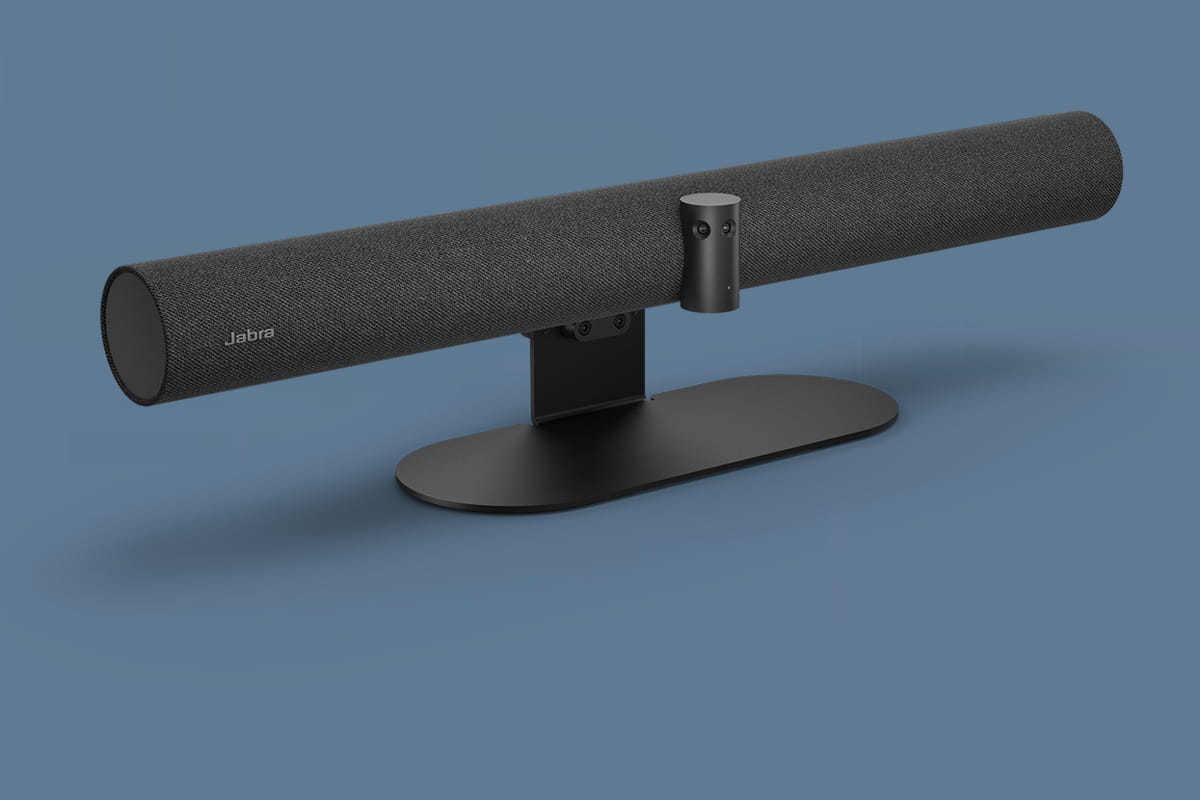
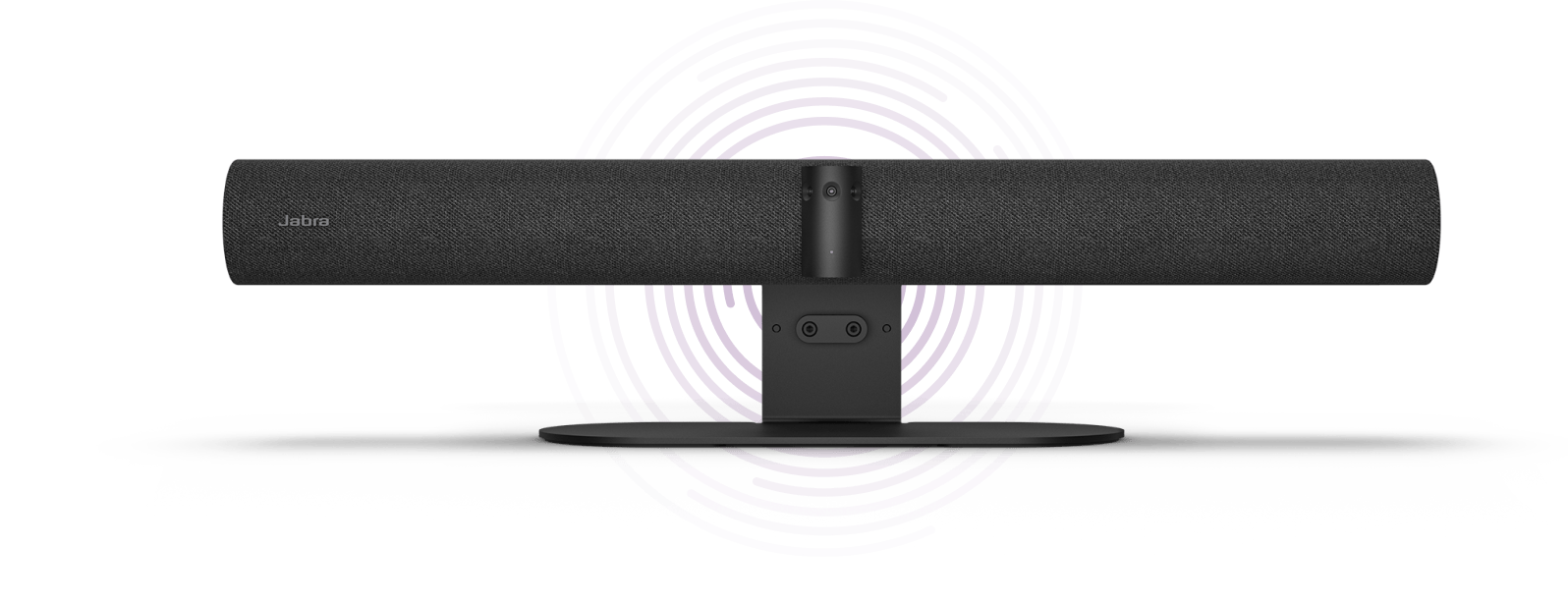
Sleek, minimalist design

Designed to fit perfectly in any space, with a welcoming fabric finish that enhances both sound and aesthetic

High-precision multi-camera array

Three 13-megapixel cameras and our patented real-time video stitching technology deliver a full 180° view with no latency

24/7 People Count

Uniquely advanced system architecture enables PanaCast 50 VBS to deliver room occupancy data 24/7

Virtual Director, Dynamic Composition, Intelligent Zoom, for inclusive meeting experiences

3 ways to install

Choose from Wall Mount, Table Stand and Screen Mount (VESA), for maximum flexibility.

Touch-screen tablet to join, share content and end meetings.
Frequently asked questions

Yes, the VBS can be changed to Teams, Zoom, or Permanent BYOD with a factory reset.

Touchscreen TVs need the USB-A to USB-B cable in addition to the HDMI cable connection.

Both the Video Bar System and the PanaCast Control sign in using the same Microsoft Teams account, meaning InTune will see the same account and apply any necessary policies regardless of which device is signing in. However, If you have enabled device filters, you will need to add both the Video Bar System and PanaCast Control device ID’s to the filter. Similarly, if Corporate Owned Devices have been enabled within InTune, the MAC addresses of each device will need to be added.

Yes PanaCast 50 Video Bar System and the PanaCast Control come paired from the factory.

Yes, the Video Bar and PanaCast Control must be on the same network to pair and communicate. They plug into separate ethernet ports on the same network and pair in the cloud.

Yes, PanaCast 50 Video Bar System comes with a built-in privacy cover.

Yes, PanaCast 50 Video Bar System supports Bluetooth technology. Only the BT Beacon is being used at the moment.

Yes, it can support up to 2 screen through HDMI connections.

Yes, PanaCast 50 Video Bar System has an ingest HDMI port on the video bar that allows a user to present from their laptop without needing to join the ongoing Microsoft Teams Rooms or Zoom Rooms call from their laptop The system can also share content wirelessly.

Not at the moment. The Video Bar System base unit and PanaCast Control both have ready-for WiFi as Microsoft requires both devices to have WiFi for "future use". This feature will be enabled at a future date.

Technical specifications

  • Jabra PanaCast 50 Video Bar System
    PanaCast 50 VBS Base Unit, power supply, wall mount, Privacy cover with sensor, Cable compartment cover and tool, Jabra PanaCast Control, PoE Power Injector, 1 x Ethernet cable 1.83m/6ft, 2 x Ethernet cable 4.57m/15ft, 1 x HDMI cable 1.83m/6ft, 2 x regional power cable
  • Number of cameras
    3
  • Type of camera
    Panoramic multi-camera array
  • Camera resolution
    Up to 3 x >4K (3 x 13 megapixels)
  • Zoom
    Up to 6x lossless digital zoom
  • Field of view
    Horizontal: 180°, Vertical: 54°
  • Intelligent Zoom
    Yes
  • Dynamic Composition
    Yes.
  • Virtual Director
    Yes
  • Vivid HDR
    Yes
  • Content sharing
    Apple Airplay (only supported by Zoom), HDMI input, Microsoft Teams- Cast (only supported by Teams)
  • Supported display resolution
    Supports up to 4K, Touch Display Compatible
  • Video input
    1 x HDMI
  • Speakers
    2 x 2" (50mm) woofers, 2 x 3/4" (20mm) tweeters
  • Speaker frequency range
    80Hz - 20kHz
  • Number of speakers
    4
  • Automatic Speaker Detection
    Yes
  • Microphone type
    8 microphone beamforming array - certified for rooms up to 4.5m x 6m
  • Number of microphones
    8
  • Microphone sensitivity
    -37dBFS
  • Microphone frequency range
    100Hz - 16000Hz
  • Compatible software and apps
    Support for native 3rd party applications, including Microsoft Teams Room for Android and Zoom Room, cloud service providers including Microsoft Teams Admin Center and Zoom Device Management, Jabra WebConsole for remote device management via HTTPs
  • Integrated People Count
    Yes
  • Appliance mode
    Yes
  • Digital pan/tilt/zoom
    Yes
  • Manual Pan-Tilt-Zoom (PTZ)
    Yes
  • One touch meeting join
    Yes
  • Camera privacy cover
    Yes
  • Interfaces
    UUSB-A, USB-C, Ethernet (RJ45), HDMI, Wi-Fi*
  • Bluetooth® version
    5.1
  • Supported USB versions
    USB 2.0, USB 3.0
  • Internet Protocol (IP)
    IPv4
  • Ethernet
    10/100/1000 Mbps
  • Auto-MDIX
    Yes
  • Media encryption
    Provided by VaaS Partner
  • Access management
    Admin menus, Web interface, Local account, VaaS Admin Portals including MS Teams Admin Center and Zoom Device Management
  • Security management
    Remote log in via Web Console and VaaS Admin Portal
  • Authenticated access to Admin setting, Web Console Local
    Yes
  • Lockdown with secureboot, OS verified boot, Vendor lock
    Yes
  • Log retrieval via Web Console
    Yes
  • Microsoft and Zoom based Vaas account authentication
    Yes
  • Operating temperature
    5°C to 35°C | 41°F to 95°F
  • Storage temperature
    -20°C to 60°C | -4°F to 140°F
  • Packaging dimensions (WxHxD)
    785mm x 189mm x 183mm | 30.9in x 7.4in x 7.2in
  • Main unit dimensions (WxHxD)
    730mm x 77mm x 146mm | 28.8in x 3.1in x 5.8in
  • Main unit weight (base unit)
    2259g | 79.7oz
  • Package weight
    6094.7g | 215oz
  • Warranty
    2 years
  • Onboard AI
    Yes
  • Cable management
    Yes
  • Kensington lock compatible
    Yes
  • Operating voltage
    100-240V, 12V, 5A
  • LED features and functions
    Answer/end call, Firmware update status, Mute/unmute, Power indicator
  • Certifications and compliance
    Microsoft Teams Rooms, Zoom Rooms

Accessories

  • Jabra PanaCast 50 Power Supply

    Jabra PanaCast 50 Power Supply

  • Jabra PanaCast 50 Screen Mount

    Jabra PanaCast 50 Screen Mount

  • Jabra Ethernet Cable (Ethernet, RJ45, Cat5e, 4.57m/15ft) - Black

    Jabra Ethernet Cable (Ethernet, RJ45, Cat5e, 4.57m/15ft) - Black

  • Jabra PanaCast 50 Video Bar System Wall Mount

    Jabra PanaCast 50 Video Bar System Wall Mount

  • Jabra PanaCast Control Table Mount

    Jabra PanaCast Control Table Mount

  • Jabra PanaCast 50 Video Bar System Power Cable

    Jabra PanaCast 50 Video Bar System Power Cable

  • Jabra HDMI Ingest Cable (4.57m/15ft)

    Jabra HDMI Ingest Cable (4.57m/15ft)

  • Jabra PanaCast 50 Video Bar System USB Cable (Type A to Type C USB Cable, 4.57m/15ft)

    Jabra PanaCast 50 Video Bar System USB Cable (Type A to Type C USB Cable, 4.57m/15ft)

  • Jabra PanaCast 50 Video Bar System USB Cable (Type A to Type B USB Cable, 1.83m/6ft)

    Jabra PanaCast 50 Video Bar System USB Cable (Type A to Type B USB Cable, 1.83m/6ft)

  • Jabra PanaCast 50 Video Bar System Privacy Cover (Camera Cover with Sensor) - Black

    Jabra PanaCast 50 Video Bar System Privacy Cover (Camera Cover with Sensor) - Black

  • Jabra PanaCast 50 Video Bar System Table Stand (Click-on Video Bar System table stand)

    Jabra PanaCast 50 Video Bar System Table Stand (Click-on Video Bar System table stand)

  • Jabra PoE Injector Kit

    Jabra PoE Injector Kit

  • Jabra PanaCast Control - UC

    Jabra PanaCast Control - UC

  • Jabra PanaCast 50 Power Cable

    Jabra PanaCast 50 Power Cable

  • Jabra PanaCast 50 Video Bar System Power Cable

    Jabra PanaCast 50 Video Bar System Power Cable

Contact Sales

Get the best solution for your organization and specific use case. Our experts can advise on products, compatibility and UC deployments.

Try Jabra for free

We offer free trials for companies of 500+ employees, who are replacing their current devices or have a new project. T&Cs apply.

Need technical support?

For product support and warranty-related questions, visit our support pages where you can find user manuals, FAQs, videos, contact information and more.

Get help now

Product support

Support content including user manuals, FAQs, video tutorials, and more.

Find support

Payment Methods

  • system.PaymentMethodLogo
  • system.PaymentMethodLogo
  • system.PaymentMethodLogo
  • system.PaymentMethodLogo
  • system.PaymentMethodLogo
  • system.PaymentMethodLogo
  • system.PaymentMethodLogo
  • system.PaymentMethodLogo
  • dinersclub logo
  • system.PaymentMethodLogo